
Keep a project journal
Write notes about a quilt as you make it, and choose whether other quilters can read them.
Updated Nov 16, 2026 · iPhone, Android and web · 1 min read
Each project has one journal entry for your thoughts, feelings and what you learned along the way. You decide whether other quilters can read it.
Write or edit the journal
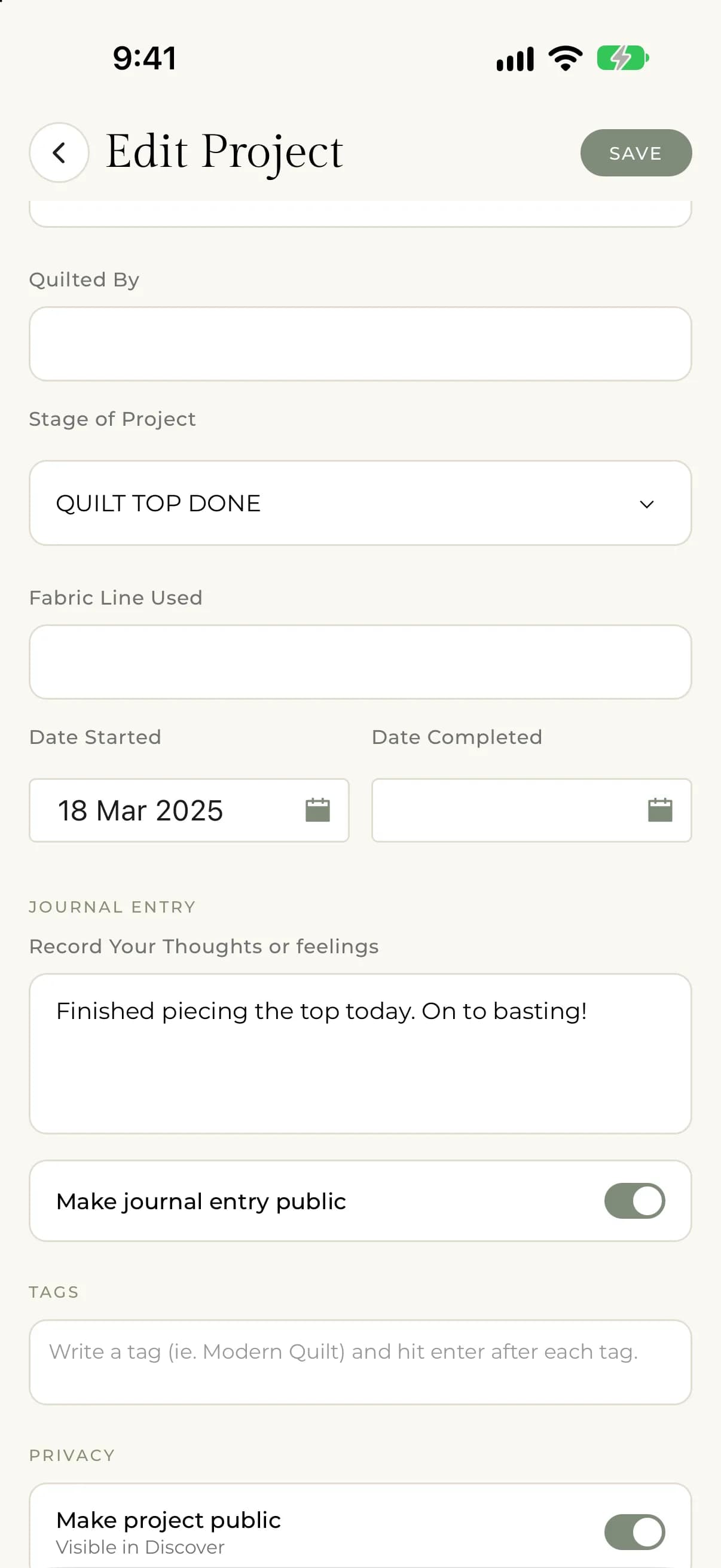
- Open the project and tap Edit Project, or start a new project.
- Scroll to the Journal Entry section.
- Write in Record Your Thoughts or feelings.
- Tap Save.
On the web, select instead of tap. The entry shows on the project page under Journal on your phone and Journal Notes on the web.
Choose who can read it
Under the journal, turn Make journal entry public on or off. On the web it reads "Let other quilters read your journal entry".
When it's off, only you can read the journal entry, on your phone and on the web. When it's on, anyone who can see the project can read it. On your phone, a new project starts with the setting you chose under Default Journal Entry Visibility. See Set the default visibility for new projects and journals. On the web, new projects start with it on.
Making the whole project private is separate. See Make a project public or private.