
Filter and sort My Projects
Search, filter and sort your projects to find a quilt quickly.
Updated Nov 16, 2026 · iPhone, Android and web · 3 min read
My Projects lists every quilt you have created. Use search, filters and sorting to narrow it down, and switch between a grid and a list.
Search by name
Type in the Search Projects box at the top. On your phone it matches project names. On the web it also matches tags, journal notes and pattern names.
Show completed or in-progress quilts
Tap All, Completed or In Progress under the search box. A project counts as completed when its stage is Completed. See Track your project's stage and dates.
Filter by details
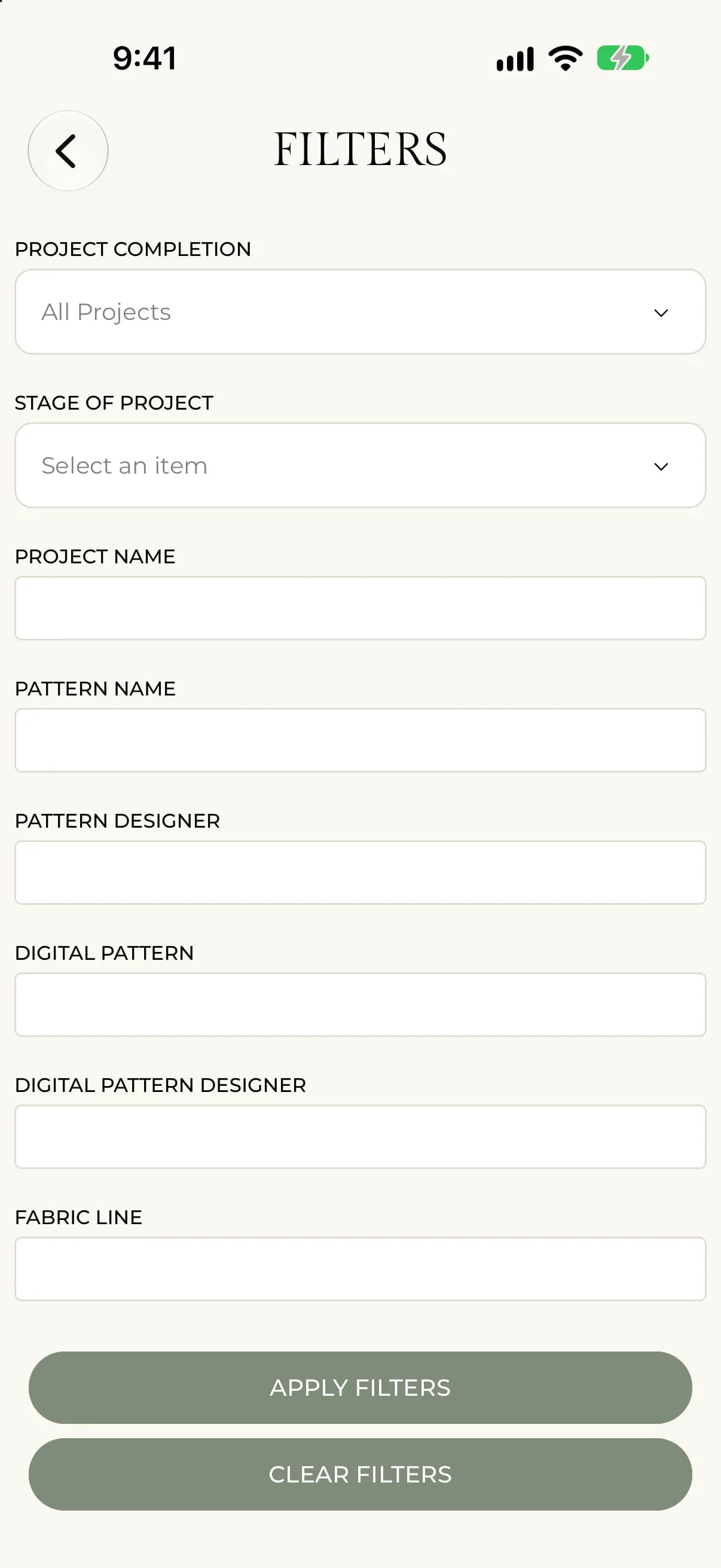
- Tap the filter icon at the right end of the search box.
- Choose a Project Completion or Stage of Project, or type in any of the fields: Project Name, Pattern Name, Pattern Designer, Digital Pattern, Digital Pattern Designer, Fabric Line, Quilted By, Type of Quilting and Gifted To.
- To filter by tag, type a tag in Tags and press enter.
- Tap Apply Filters.
Your filters show as chips above the list. Tap the x on a chip to remove it, or tap Clear Filters to start over. The count above the list shows how many projects match.
- Select FILTERS next to the search box.
- Choose a Project Completion, Stage of Project or Project Size, or type in any of the text fields, such as Pattern Name, Fabric Line or Gifted To.
- Add tags in Tags if you want.
- Select Apply Filters.
Your filters show as chips above the list. Select the x on a chip to remove it, or Clear Filters to start over.
Sort
Tap Sort, then choose an option. A check mark shows the current one. Your filters and sort order are remembered the next time you open the app.
Open the Sort by menu and choose an option. It starts on Last Updated: New to Old.
The options are Stage: A-Z, Stage: Z-A, Created: Old to New, Created: New to Old, Last Updated: Old to New, Last Updated: New to Old, Project Name: A-Z and Project Name: Z-A.
Grid and list views
Use the grid and list buttons beside the sort button to change how projects are shown. The web also has a board view.
If something goes wrong
If no projects appear, a filter may be hiding them. Look for chips above the list and tap Clear Filters. If you see "No projects match your search.", change or clear your search.