
Mark a quilt as a gift
Record who a quilt is for. The name is never shown publicly.
Updated Nov 16, 2026 · iPhone, Android and web · 1 min read
If you made a quilt for someone, mark it as a gift and note who it went to. It is a handy record, and you can search your projects by recipient.
Mark a project as a gift
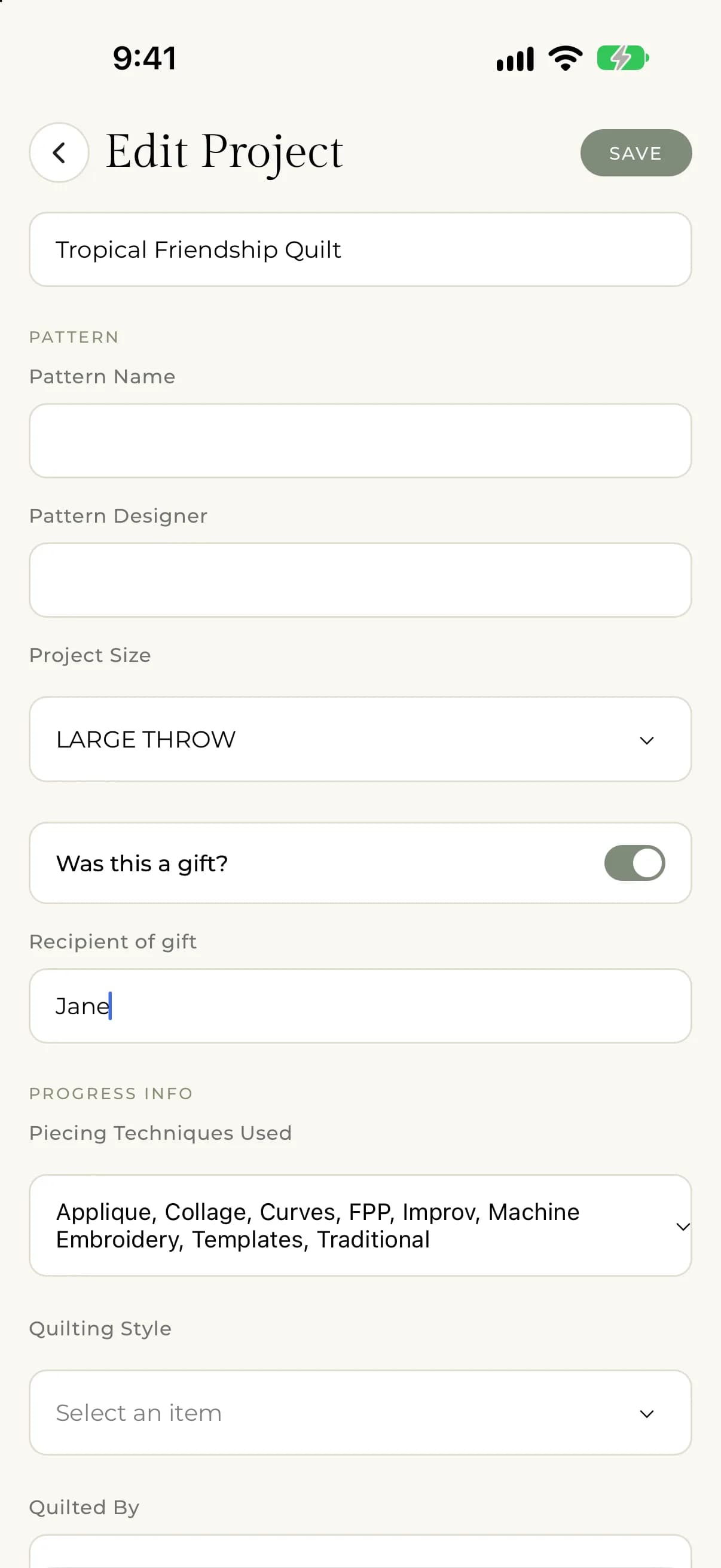
- Open the project and tap Edit Project, or start a new project.
- In the Pattern section, turn on Was this a gift?.
- Type the person's name in Recipient of gift.
- Tap Save.
On the web, select instead of tap. Turn the switch off again to remove the gift label.
Find your gifts
In My Projects, open the filters and type a name in Gifted To. Only projects whose recipient contains that text are shown. See Filter and sort My Projects.
Who can see the recipient's name
Only you. The recipient's name is never shown to other people, even when the project is public. It doesn't appear on the project page, in the feed, in search or in link previews. You see it in your own project form and can use it to filter My Projects.