
What's included with Premium
See what Premium unlocks, and what stays free.
Updated Nov 16, 2026 · iPhone, Android and web · 2 min read
Premium adds the planning tools in My Quilts and removes ads. One subscription works on iPhone, Android and the web.
What you get
- No ads. Browse the feed and projects without ads.
- Fabric Stash. Photograph your fabrics, and find them again by color, print or type.
- Pattern Library. Keep your patterns together, with links, PDFs and notes.
- Bundle Generator. Build a coordinated fabric bundle from a color, a photo or a fabric in your stash.
- Shopping List. Keep a running list of supplies, and check items off as you shop.
When you first become a Premium member, a welcome pattern is also added to your Pattern Library.
The app and website also tell you that Premium gives you early access to new tools, and that your membership supports the people who build My Quilts.
What stays free
Everything else in My Quilts is free, including your projects and photos, journals, the Discover feed, following other quilters, and the Cheat Sheets.
How to tell the tools need Premium
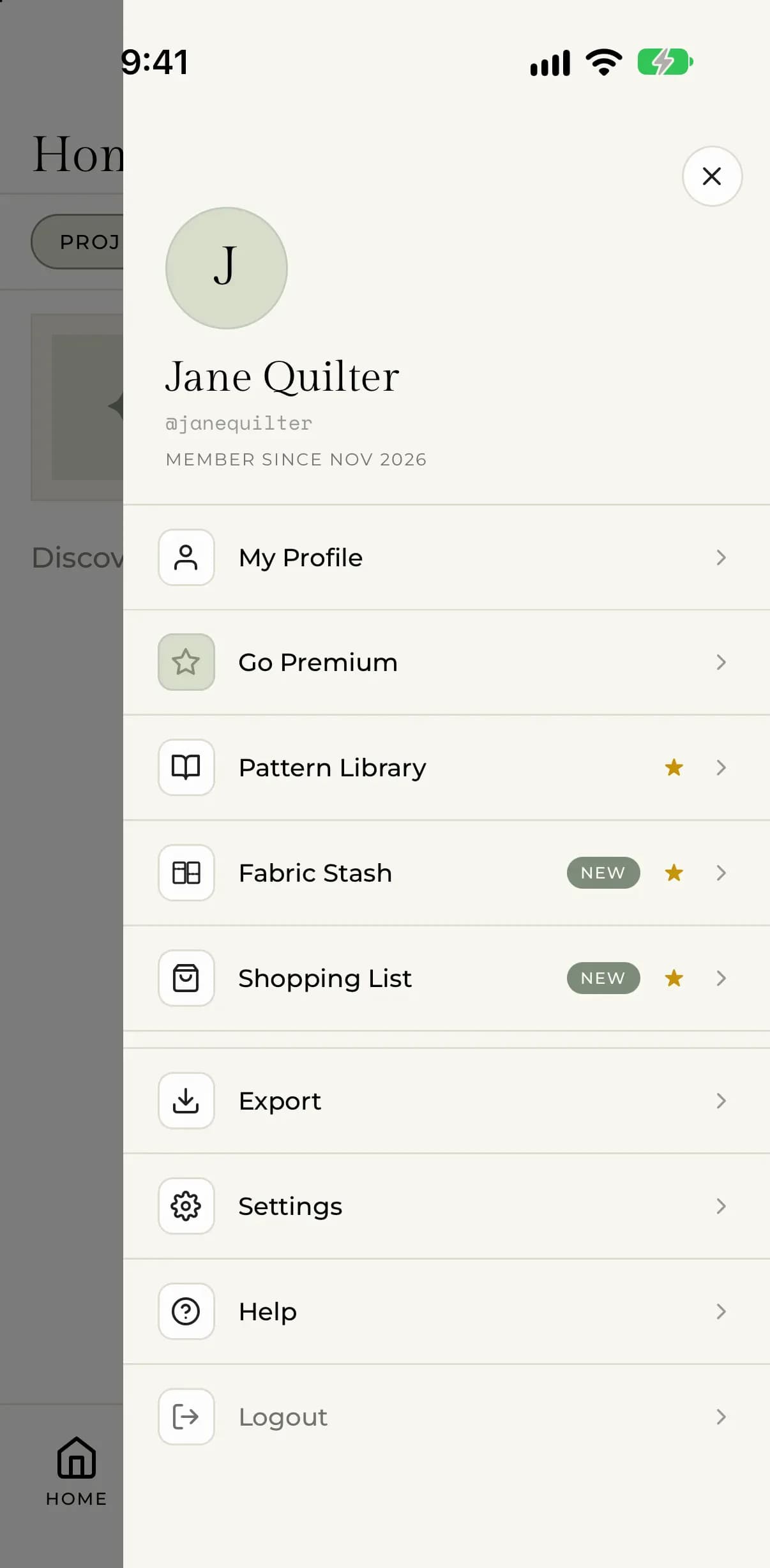
In the menu on your phone, and in the sidebar on the web, Pattern Library, Fabric Stash, Bundle Generator and Shopping List are marked with a gold star. If you open one without Premium, you see a short page about the tool with a Go Premium button.
When you have Premium, a Premium badge also appears next to your name on your profile and your projects, where other quilters can see it.
Ready to start? See Subscribe to Premium.