
Pattern Library★PREMIUM
Add a pattern to your library
Save a pattern with its cover, fabric requirements, and an optional PDF.
Updated Nov 16, 2026 · iPhone, Android and web · 2 min read
Show steps for
The Pattern Library keeps every quilt pattern you own in one place, with its cover photo, a photo of its fabric requirements, and the full PDF if you have one.
Add a pattern
- Open the menu and tap Pattern Library.
- Tap the + button.
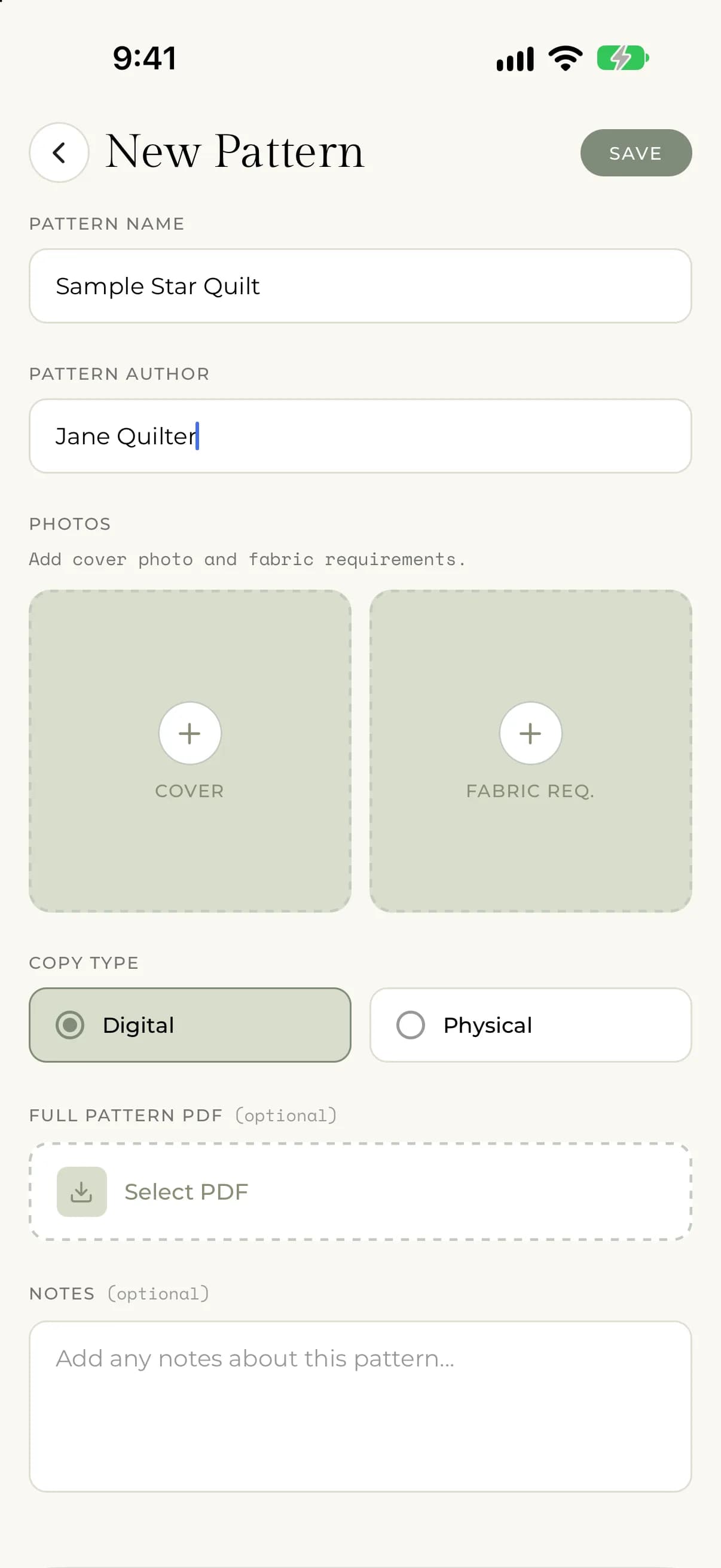
- Enter the Pattern Name and the Pattern Author. Both are required.
- Under Photos, add a Cover photo and a Fabric Req. photo. Both are required.
- Choose the Copy Type: Digital or Physical.
- Optional: tap Select PDF to attach the Full Pattern PDF.
- Optional: add Notes about the pattern.
- Tap Save.
On the web, select Pattern Library in the sidebar, then select New Pattern. The form has the same fields. Select Save when you are done.
Add the photos
Tap a photo tile to choose where the picture comes from. On iPhone and Android you can pick Camera or Photo Library. On the web you choose a file from your computer.
- Cover is the picture on the front of the pattern.
- Fabric Req. is a photo of the fabric requirements page, so you can check it at the shop without opening the whole pattern.
Attach a PDF
The Full Pattern PDF is optional. Tap Select PDF and choose a PDF file from your device. To change your mind before saving, tap Remove PDF.
If something goes wrong
- If you tap Save and a message says the name, author, cover photo or fabric requirements photo is required, fill in the missing field. All four must be filled in.
- If the PDF can't be selected, you will see "There was an error selecting the PDF." Try choosing the file again.
- If saving fails, you will see "There was an error saving your pattern. Please try again." Check your connection and tap Save again.
- If you don't see the Pattern Library, your account may not have Premium yet. See What's included with Premium.