
Profile and account
See your quilting stats
Check how many projects you have finished and how many people follow you.
Updated Nov 16, 2026 · iPhone, Android and web · 1 min read
Show steps for
My Quilts shows a few simple counts about your quilting. They update on their own, so there is nothing to set up.
On My Projects
Tap My Projects. The strip at the top shows:
- Projects: how many projects you have.
- Completed: how many are marked as completed.
- Saves: how many times your projects have been saved.
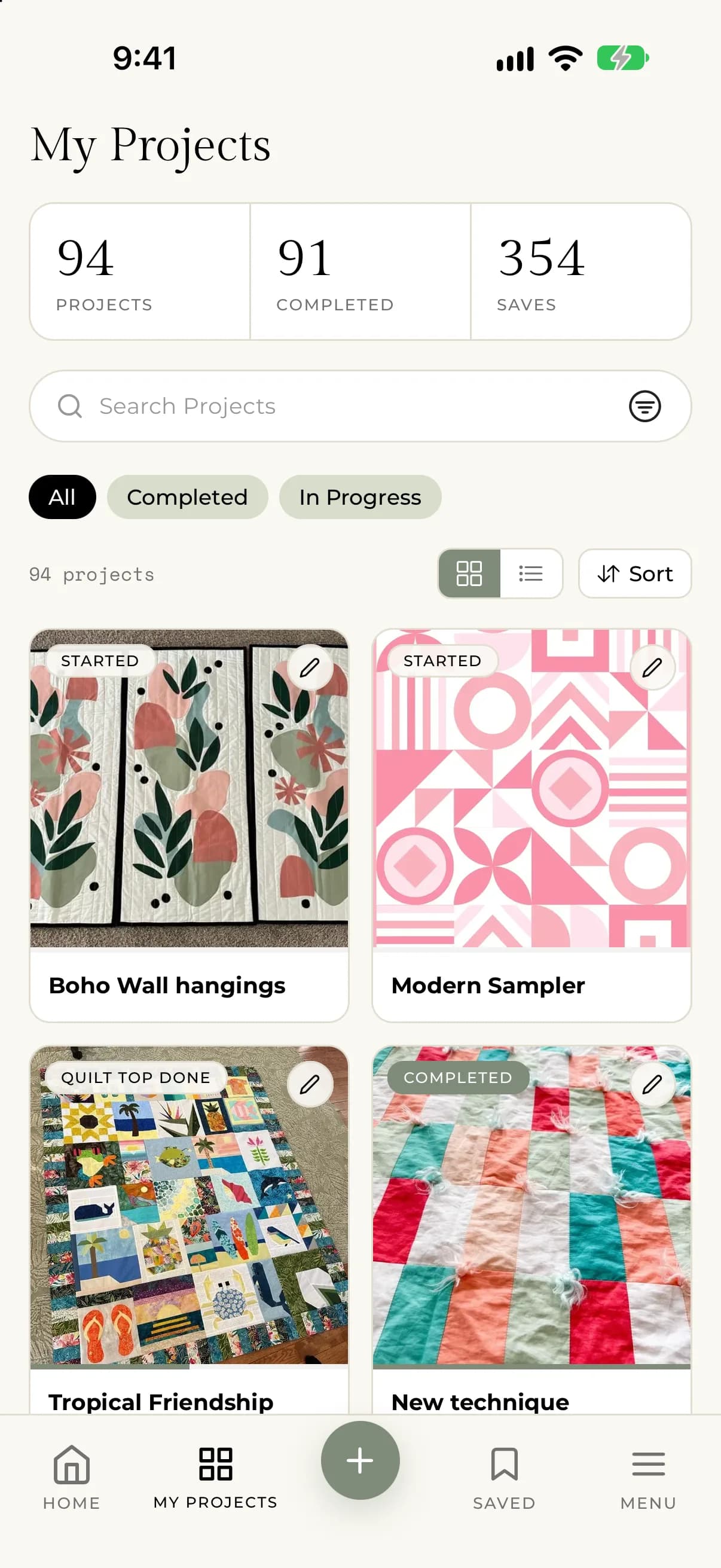
Select My Projects. The bar at the top shows:
- Projects: how many projects you have.
- Completed: how many are marked as completed.
- In Progress: how many are not completed yet.
On your profile
Tap Menu, then My Profile. The strip under your name shows Projects, Followers and Following. Tap Followers or Following to see the list of people.
Select My Profile. You see your Followers and Following counts. Select either one to see the list of people.
Want to see only the finished ones? See Filter and sort My Projects.