
Profile and account
Edit your profile
Change your photo, name, username and bio.
Updated Nov 16, 2026 · iPhone, Android and web · 2 min read
Show steps for
Your profile is how other quilters see you: a photo, your name, a username and a short bio. You can change any of these at any time.
Open Edit Profile
- Tap Menu, then tap My Profile.
- Tap Edit Profile.
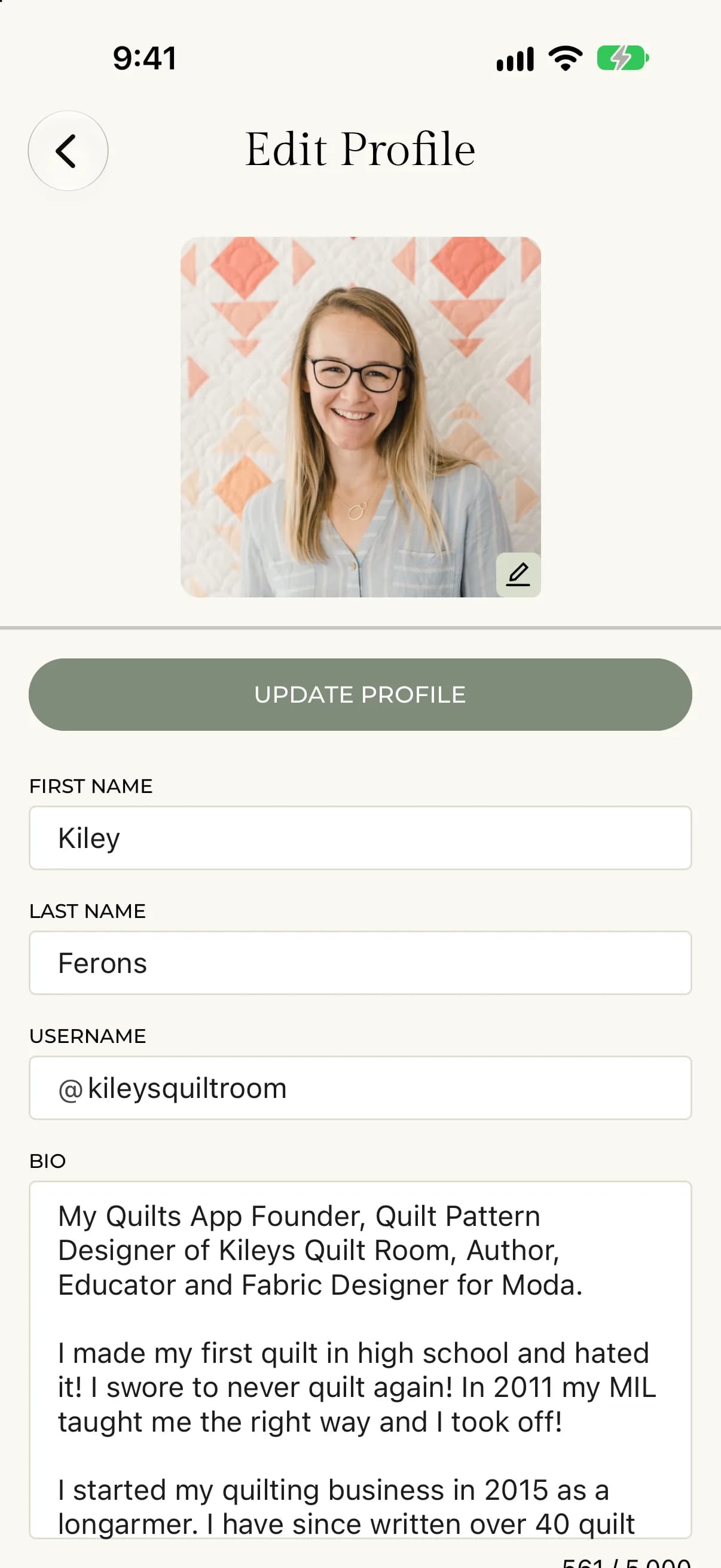
- Select My Profile in the sidebar.
- Select Edit Profile.
Change your photo
Tap your photo and choose a new image. The new photo is saved right away.
Hover over your photo, select the camera, and choose an image. Then select Update Profile to save it.
Change your name, username and bio
- Edit First Name, Last Name, Username or Bio.
- If you change your username, wait for ✓ Username is available. If it says the name is taken, try another.
- Tap Update Profile.
- Edit First Name, Last Name, Username or Bio.
- If you change your username, wait for ✓ Username is available. If it says the name is taken, try another.
- Select Update Profile. You see Profile updated successfully.
Your bio can be up to 5,000 characters. A counter below the box shows how many you have used.
Your email and password are on this screen too. See Change your email address and Change your password.
Choose what others see
Your name, email and bio are not always shown to other people. To control this, see Choose what others see on your profile.