
Use the quilting cheat sheets
Find the built-in calculators, charts and quick references, and learn how to read them.
Updated Nov 16, 2026 · iPhone, Android and web · 3 min read
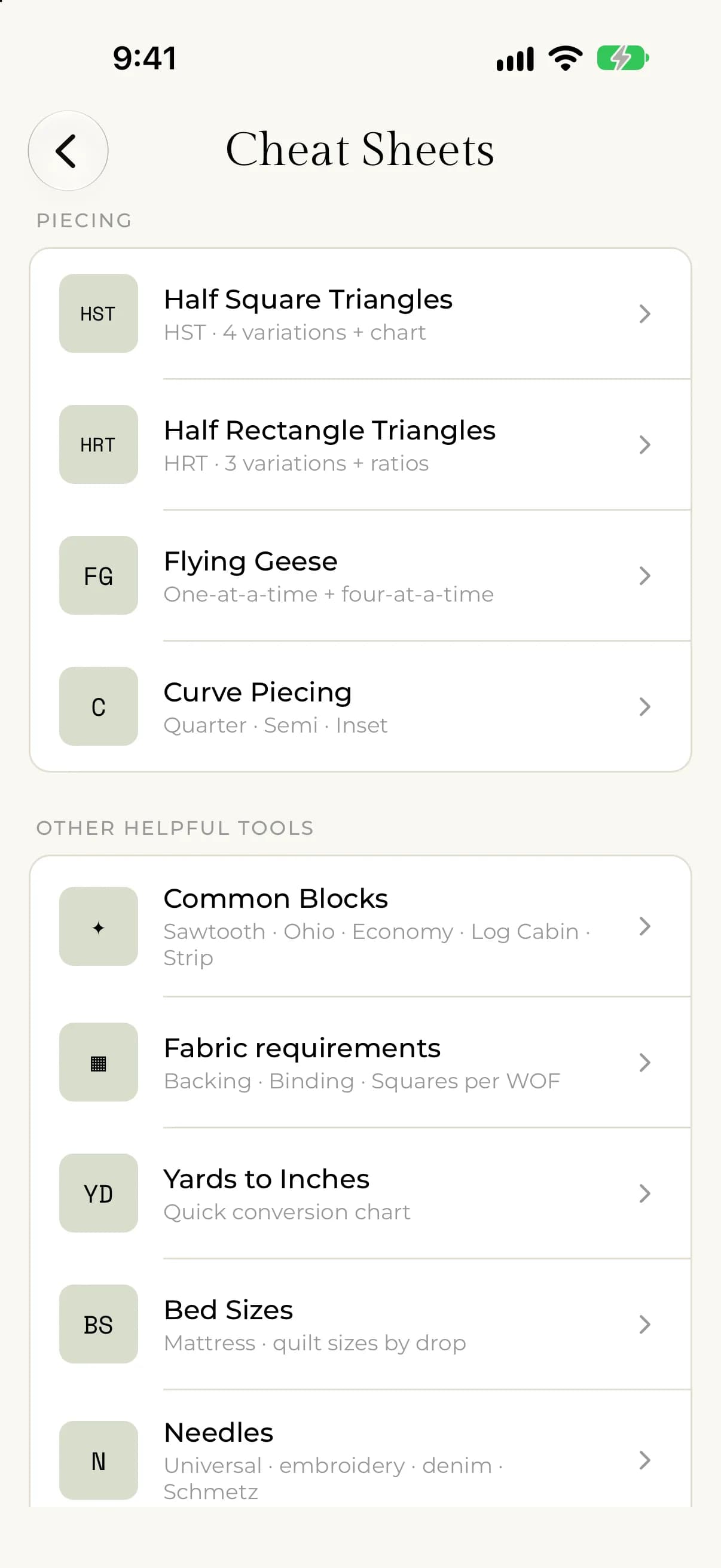
The Cheat Sheets are quilting calculators and quick-reference charts built into My Quilts. They give you cut sizes for common units, yardage for backing and binding, bed sizes and more. They are not part of Premium.
What is in the Cheat Sheets
- Piecing: Half Square Triangles, Half Rectangle Triangles, Flying Geese and Curve Piecing.
- Common Blocks: Sawtooth Star, Ohio Star, Economy Block, Strip Sets and Log Cabin.
- Fabric requirements: Backing, Binding and Squares per WOF.
- Reference: Yards to Inches, Bed Sizes, Needles and Abbreviations.
Open the Cheat Sheets
- Open the menu.
- Tap Cheat Sheets.
- Tap a sheet. The Piecing section comes first, followed by Other helpful tools.
- If the sheet has several methods, tap the one you want. Each method opens its own screen with the instructions.
You can open the Cheat Sheets in the app before you sign in.
- In the left menu, under Tools, select Cheat Sheets.
- Select a sheet from the list on the left. The sheets are grouped under Piecing, Yardage and Reference.
- Pick a method with the buttons at the top of the calculator.
Use a calculator and a chart
Most sheets have a calculator and a reference chart for the same numbers. Use the calculator for one size. Use the chart when you want to see many sizes at once.
On a sheet with a calculator, tap Calculator or Chart at the top. In the calculator, tap a field to open a list of sizes, then tap the size you want. The other fields update to match.
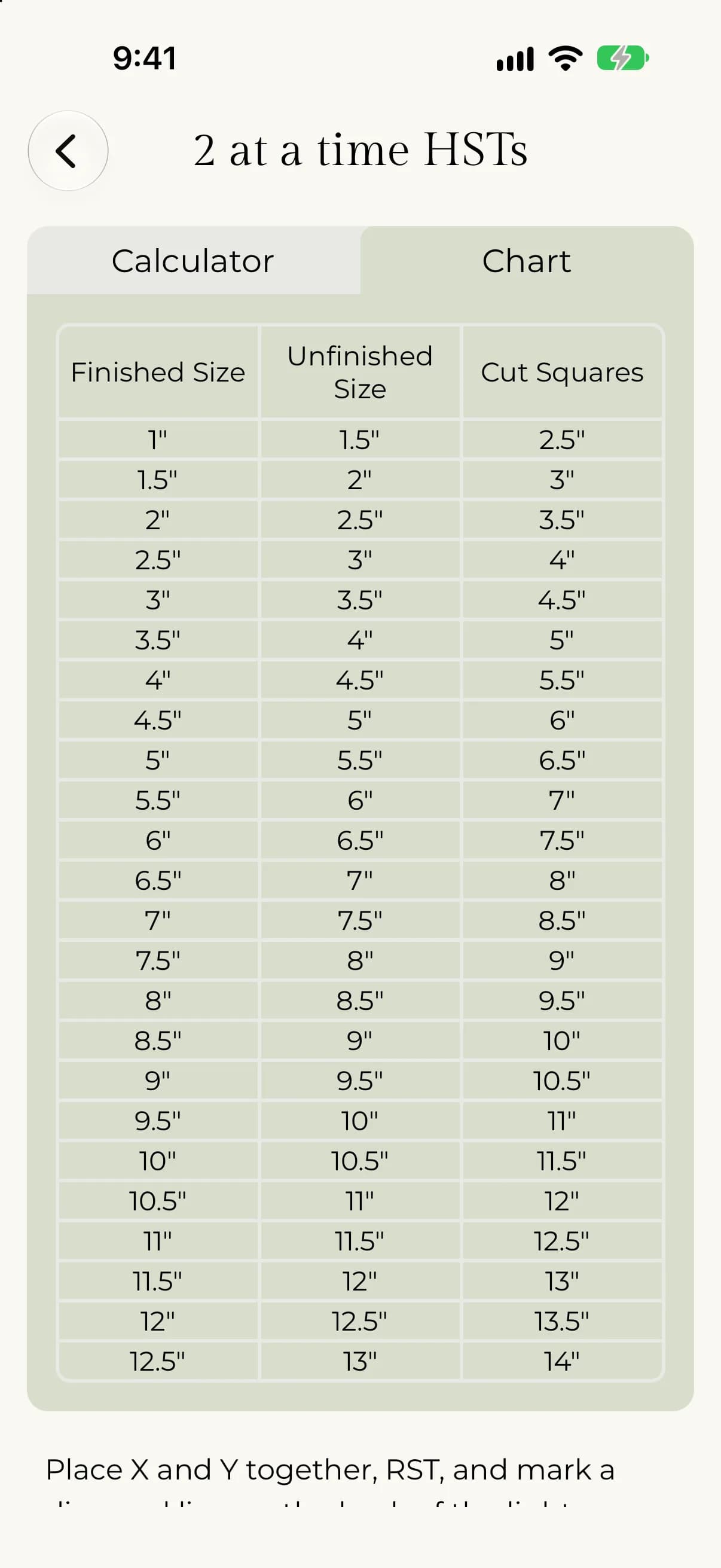
Pick a method and enter a size, using the − and + buttons or by typing. The Result cards show the sizes for your choice. Below them, the Reference chart lists many sizes, with your row highlighted. Beside the calculator you will find the written method and a diagram. Select the diagram to open it full screen.
Read the sizes
- Finished is the size you choose to make.
- Unfinished is the size listed next to the finished size. In the half square triangle, half rectangle triangle and flying geese sheets it is half an inch more than the finished size.
- Cut squares is the size to cut your fabric.
Each sheet is explained in its own article, starting with Half-square triangles.