
Half-rectangle triangles
Cut and trim sizes for half-rectangle triangles in four ratios, with the individual and 2 at a time methods.
Updated Nov 16, 2026 · iPhone, Android and web · 3 min read
A half-rectangle triangle (HRT) is a rectangle made of two triangles. The app describes them as directional triangles for arrows, ribbons and stars. The HRT sheet gives you the cut size for four rectangle ratios.
Choose a method
Tap Cheat Sheets, then Half Rectangle Triangles, then pick Individual, 2 at a time HRTs or Ratios.
Select Half-Rectangle Triangles in the sheet list, then choose Individual, 2 at a time or Ratios next to Method.
- Individual: mark a diagonal on the back of both fabric pieces and cut on the line. Swap the matching pieces so the fabrics are mismatched but still line up along the diagonal, then place them right sides together. Slide one piece down so that 1/4" of the tip from the other shows. Sew 1/4" from the diagonal line, trim off the excess and press the seam to one side.
- 2 at a time: mark a dot 1/4" away from both edges on opposite corners of the front of the first fabric. Mark the back of the second fabric with the diagonal going the opposite way. Place them right sides together, line up the dots and lines, sew 1/4" on either side of the diagonal line and cut along it.
- Ratios: first decide which HRT ratio you want. To find what size to cut your squares, add 1" to the width and length of the finished size you want. The sizes are the same for both cutting methods.
When you trim your HRTs, make sure the diagonal line does not go corner to corner. It should sit 1/4" from the end on both sides.
Find your sizes
The four ratios are 2 : 3, 1 : 2, 2 : 5 and 1 : 3. Each row of the chart gives the finished size of the rectangle, the unfinished size and the size to cut.
- Open a method and stay on the Calculator tab.
- Tap Ratio and pick one of the four ratios.
- Tap Finished Size and pick a size. The list shows the sizes for the ratio you chose.
- Read the unfinished size, shown under Unfinished Size & Size of Rectangle, and Cut Fabric Squares.
- Tap Chart, then a ratio, to see the whole table.
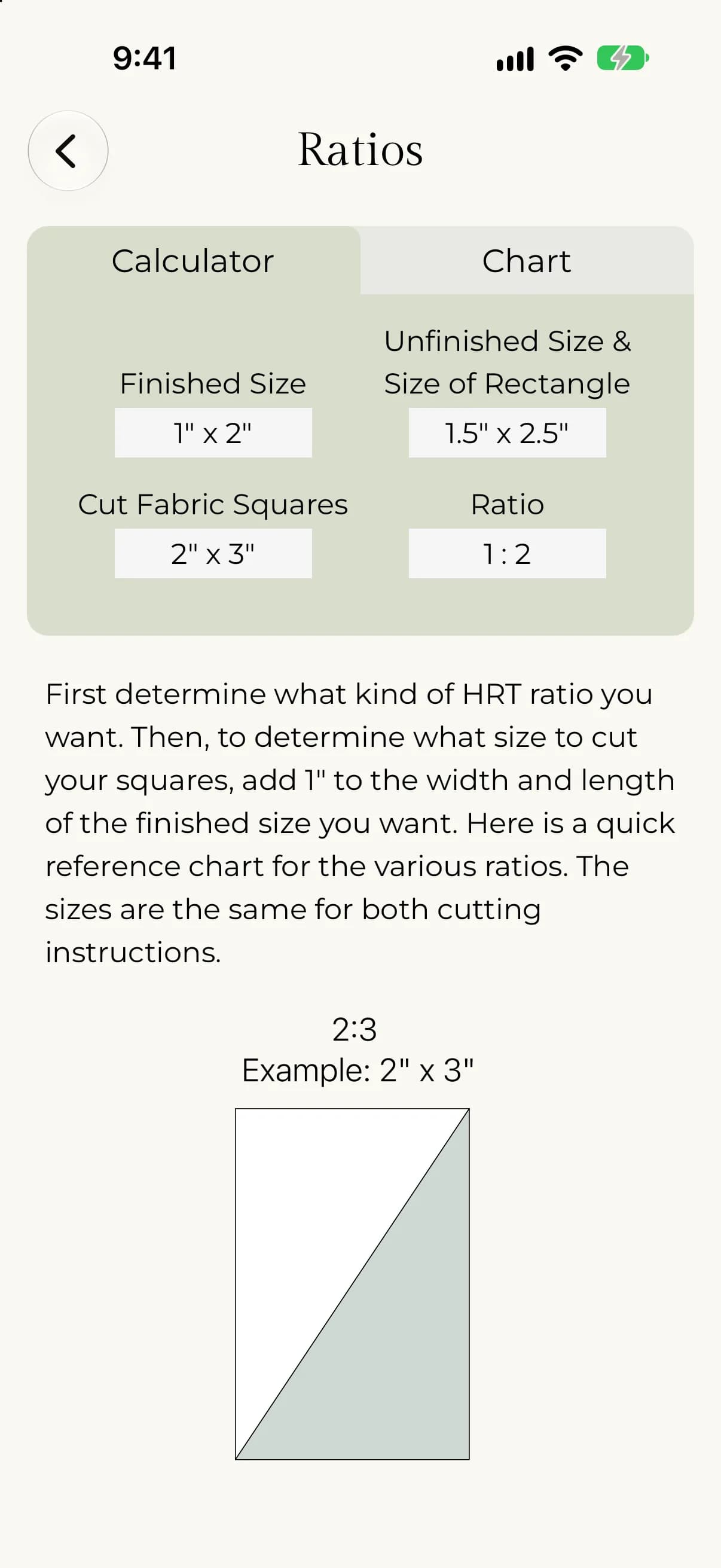
- Choose a method.
- Next to Ratio, select one of the four ratios.
- Next to Finished width, use − and + or type a number.
- Read the Finished, Unfinished and Cut squares cards. Each shows a width and a length.
- Use the Reference chart to see the whole table for that ratio.
For example, with the 2 : 3 ratio, a finished rectangle of 2" x 3" has an unfinished size of 2.5" x 3.5" and a cut size of 3" x 4". Unfinished is 1/2" bigger in each direction, and the cut size is 1" bigger.
Compare with Half-square triangles and Flying geese.