
Flying geese
Sizes for the large and small squares in a no-waste flying geese unit, plus the individual method.
Updated Nov 16, 2026 · iPhone, Android and web · 3 min read
Flying geese are the classic 2:1 unit: a rectangle twice as long as it is wide. The sheet shows two ways to make them and tells you what size to cut the large and small squares.
Choose a method
Tap Cheat Sheets, then Flying Geese, then pick Individual Flying Geese or 4 at a time / no waste.
Select Flying Geese in the sheet list, then choose Individual or 4 at a time / no waste next to Method.
- Individual: draw diagonal lines on the backs of all the small (X) pieces. Place an X piece on one end of the rectangle (Y), right sides together, and sew on the diagonal. Trim off the excess and press the seam to one side. Do the same on the other end. Trim to size, leaving 1/4" of the overlapping HST points.
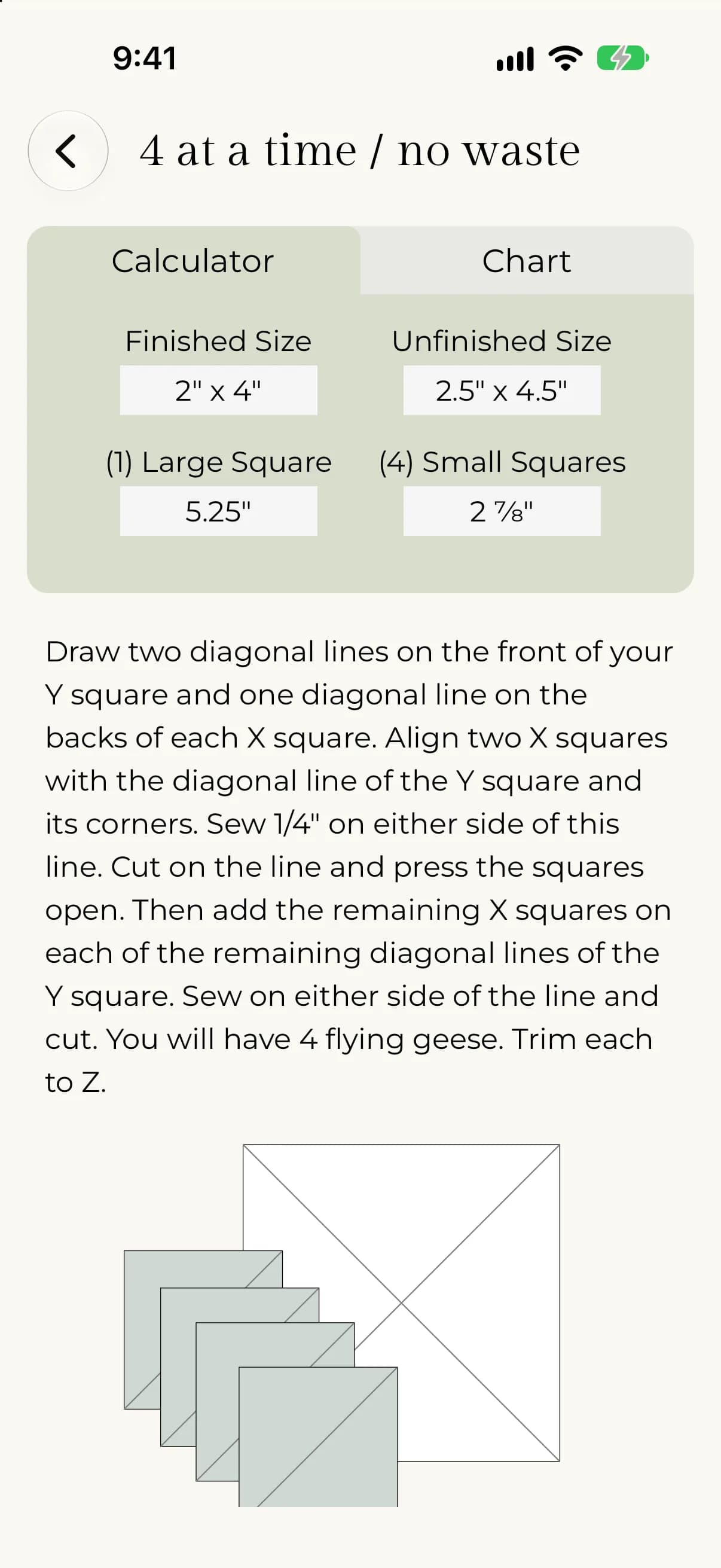
- 4 at a time / no waste: draw two diagonal lines on the front of your large square (Y) and one diagonal line on the back of each small square (X). Align two X squares with the diagonal line of the Y square and its corners and sew 1/4" on either side of this line. Cut on the line and press the squares open. Add the remaining X squares on the remaining diagonal lines, sew on either side of each line and cut. You get 4 flying geese. Trim each one.
Find your cut sizes
The size list covers one large square and four small squares, which is how the 4 at a time method is cut. The chart shows finished flying geese from 1" x 2" up to 6.5" x 13".
- Open a method and stay on the Calculator tab.
- Tap Finished Size and pick the size you want to make.
- Read Unfinished Size, (1) Large Square and (4) Small Squares.
- Tap Chart to see all the sizes together.
- Choose a method.
- Next to Finished width, use − and + or type a number.
- Read the Finished size, Unfinished size, (1) Large Square and (4) Small Squares cards.
- Look for your row in the Reference chart. It is highlighted.
For example, a finished 2" x 4" unit has an unfinished size of 2.5" x 4.5". Cut one large square at 5.25" and four small squares at 2 7/8".
See also Half-rectangle triangles.