Fabric requirements
Look up backing yardage, binding yardage and strips, and how many squares fit across the width of fabric.
Updated Nov 16, 2026 · iPhone, Android and web · 3 min read
The Fabric Requirements sheets answer three buying questions: how much backing, how much binding, and how many squares you can cut from one strip across the width of fabric (WOF).
Open the sheets
Tap Cheat Sheets, then Fabric requirements, then pick Backing, Binding or Squares per WOF.
Under Yardage in the sheet list, select Backing, Binding or Squares per WOF.
Backing
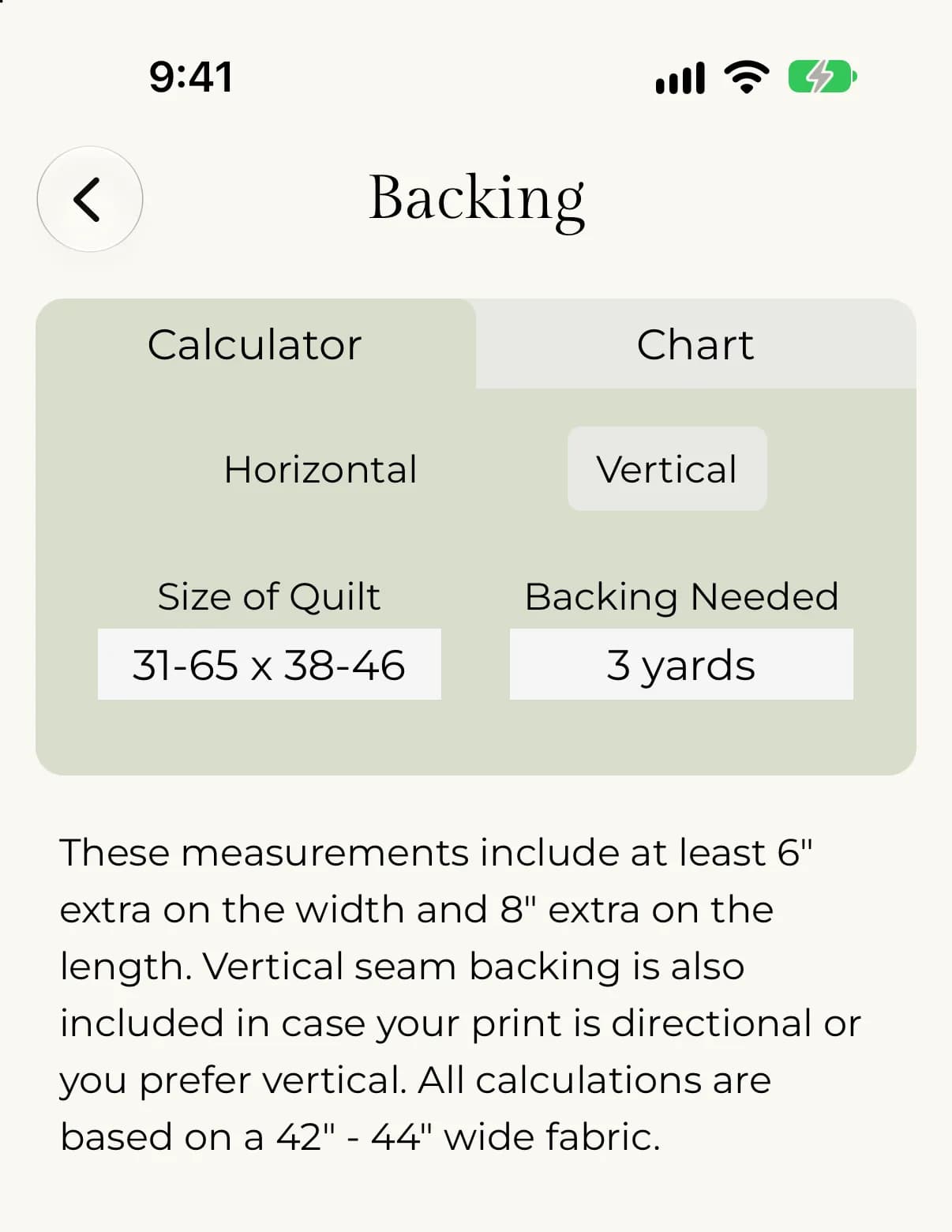
The sheet gives backing yardage by quilt size in inches. The measurements include at least 6" extra on the width and 8" extra on the length. They are based on 42" - 44" wide fabric. You can choose a horizontal seam or a vertical seam, in case your print is directional or you prefer vertical.
- Tap Horizontal or Vertical to choose the seam direction.
- Tap Size of Quilt and pick the row for your quilt.
- Read Backing Needed.
- Under Seam direction, select Horizontal seam or Vertical seam.
- Open Size of quilt (in) and choose your row.
- Read Backing needed. The Reference chart lists every row.
The rows are size ranges in inches, written like 40-48 x (<76). A quilt in that row, with a horizontal seam, needs 3 yards. Results run from 1 yard up to 10.5 yards.
Binding
The binding sheet is based on the distance around your quilt, in inches, and on 42" - 44" wide fabric. It leaves at least 6" extra to connect your ends. For each perimeter range it shows the yardage for 2 1/4" strips, the yardage for 2 1/2" strips, and the number of strips you need.
Tap Perimeter of Quilt in Inches, pick your range, and read Yardage for 2¼" strips, Yardage for 2½" strips and Number of Strips Needed.
Open Perimeter of quilt (in), choose your range, and read Yardage · 2¼″ strips, Yardage · 2½″ strips and Strips needed (shown as a count times WOF).
For example, a perimeter of 163-204" needs 1/3 yard of 2 1/4" strips or 1/2 yard of 2 1/2" strips, and 5 strips. A perimeter of 205-246" needs 1/2 yard of either width, and 6 strips.
Squares per WOF
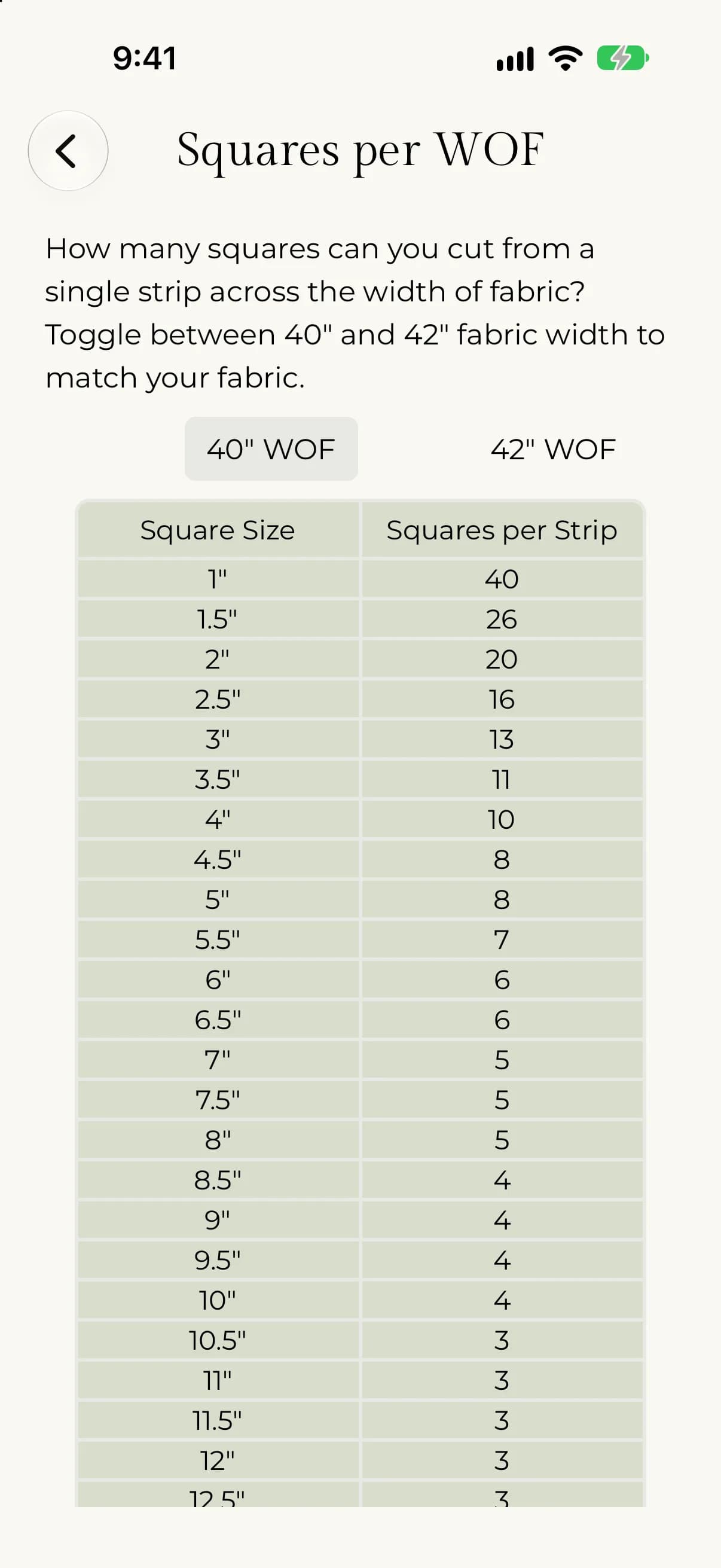
This chart shows how many squares you can cut from a single strip across the width of fabric. Switch between 40" and 42" fabric width to match your fabric. On the web, use the 40″ WOF and 42″ WOF buttons. In the app, tap 40 WOF or 42 WOF at the top of the chart.
For example, 2.5" squares give 16 per strip on either width. 2" squares give 20 on 40" fabric and 21 on 42" fabric.