
Turn on push or email notifications
Choose whether notifications reach you as push alerts, as email, or both.
Updated Nov 16, 2026 · iPhone, Android and web · 2 min read
Push notifications appear on your phone, or in your browser on the web, even when My Quilts is closed. On iPhone and Android you can also receive notifications by email.
Turn on push notifications
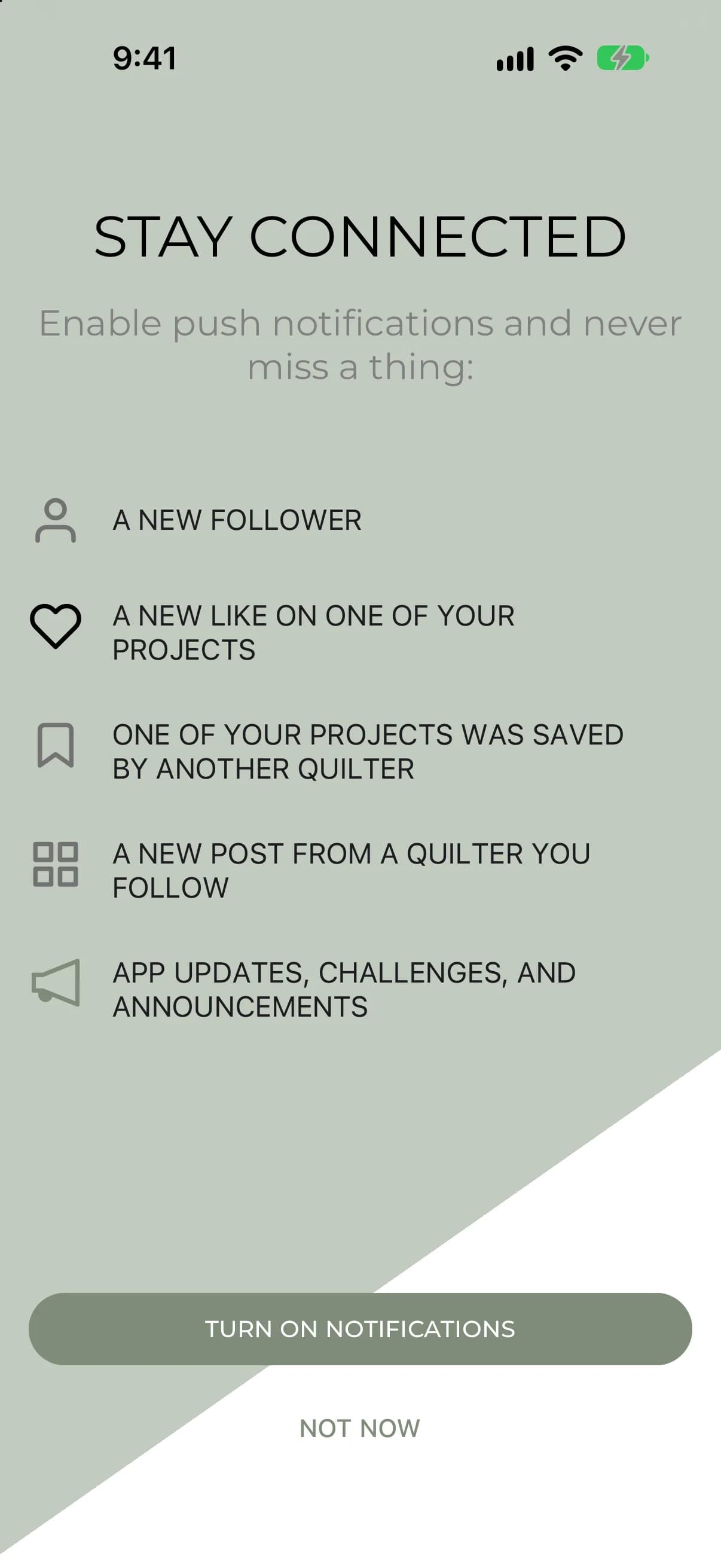
The first time you use My Quilts, and after you like or save a project, the app may show a Stay Connected screen. It lists what you will hear about: a new follower, a new like on a project, a project saved by another quilter, a new post from a quilter you follow, and app updates, challenges and announcements. Tap TURN ON NOTIFICATIONS, then allow notifications when your phone asks. Tap NOT NOW to skip it. The app shows this screen only once.
You can also turn push on or off in the settings at any time:
- Tap Menu at the bottom of the screen, then tap Settings.
- Tap Notification Settings.
- Set Push Notification to On under How do you want to receive notifications?
On the web, select Settings in the sidebar, then select the Notifications tab. Under Channels, switch on Push Notification to receive notifications in your browser, even when My Quilts is closed. A box titled Stay in the loop appears first. Select Enable notifications, then allow notifications when your browser asks.
If your browser does not support push notifications, the page tells you so.
Turn on email notifications
Email notifications are available on iPhone and Android. In Notification Settings, set Email notifications to On. Set it to Off the same way.
Turn notifications off
Set Push Notification or Email notifications to Off in the same place. To stop only some kinds of notification, leave it On and set to Off the kinds you don't want. See Choose which notifications you get.
If something goes wrong
- If you said no when your phone or browser asked for permission, My Quilts can't send push notifications until you allow them for My Quilts in your phone's settings or your browser's settings. On the web you will see "Enable notifications in your browser settings to receive push."
- On the web, if something goes wrong, you will see "Something went wrong. Please try again." Try the switch again.
- For more help, see I'm not getting notifications.