
Choose which notifications you get
Turn individual kinds of notification on or off, from likes and follows to new posts.
Updated Nov 16, 2026 · iPhone, Android and web · 2 min read
My Quilts can tell you when something happens around your projects. Each kind of notification has its own On / Off setting, so you only hear about what you care about.
Open your notification settings
- Tap Menu at the bottom of the screen, then tap Settings.
- Tap Notification Settings.
- Under Control what notifications you want to receive, set each kind to On or Off.
On the web, select Settings in the sidebar, then select the Notifications tab. The kinds are under What you get notified about.
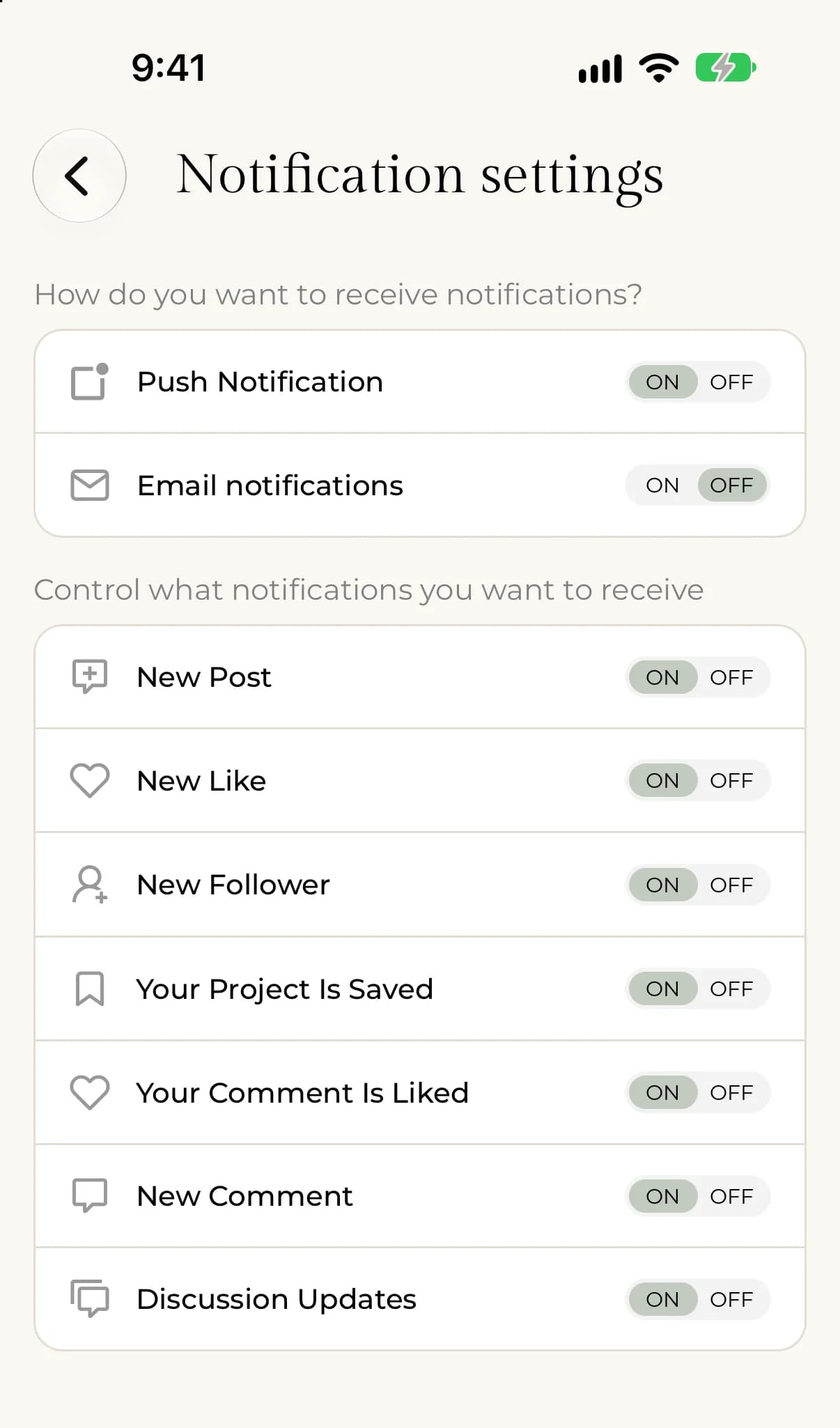
The kinds of notification
- New Post: a quilter you follow posts a new project.
- New Like: someone likes one of your projects.
- New Follower: someone starts following you.
- Your Project Is Saved: someone saves one of your projects.
- Your Comment Is Liked: someone likes a comment you wrote.
- New Comment: someone comments on one of your projects.
- Discussion Updates: someone comments on a project where you have also commented.
A kind you set to Off is not delivered at all, so it won't reach your phone, your email or your notifications inbox.
If lots of people do the same thing, for example like a project, My Quilts can combine them into one notification, such as "@name and 3 other quilters liked your project".
How you receive them
The settings under How do you want to receive notifications? choose where notifications arrive. See Turn on push or email notifications.
If something goes wrong
If notifications aren't arriving, see I'm not getting notifications.