
Getting started
Create your account
Sign up with your email, pick a username and add a photo.
Updated Nov 16, 2026 · iPhone, Android and web · 2 min read
Show steps for
An account keeps your projects safe and lets you share them and follow other quilters. Signing up is free and takes a minute.
Sign up
- Open the app and tap Menu.
- Tap Sign Up.
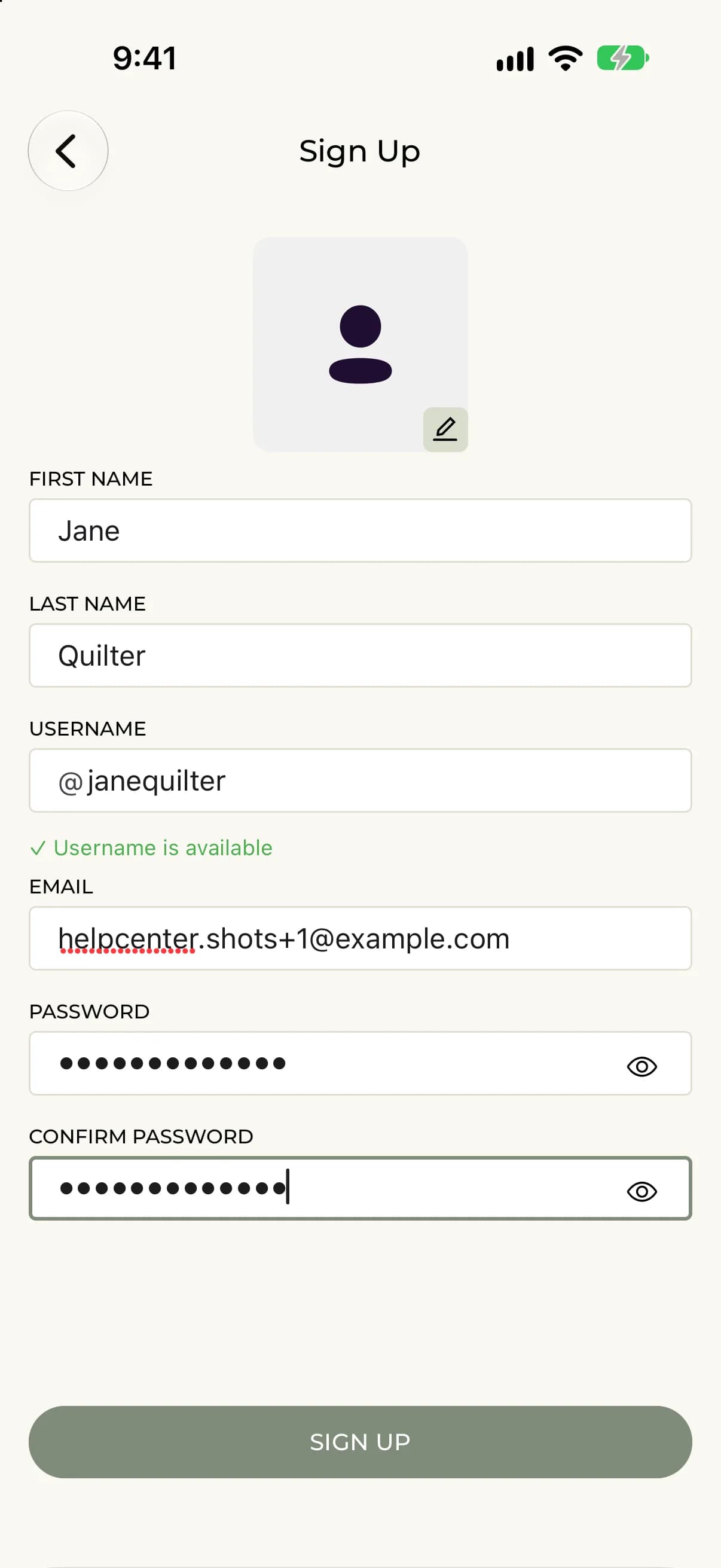
- Enter your First Name and Last Name.
- Check your Username. The app suggests one from your name, and shows ✓ Username is available when it is free. If you change it, wait for the availability check.
- Enter your Email.
- Enter a Password (minimum 6 characters) and type it again under Confirm Password.
- Optionally tap the photo circle to add a profile photo.
- Tap Sign Up.
After you sign up, two welcome cards, Catalog Your Quilts and Get Inspired, introduce the app. Tap Skip to go straight to My Projects.
- Go to myquilts.app and select Create account (or Sign Up).
- Enter your name in the First Name / Last Name field.
- Check your Username. It is filled in from your name, and you can change it.
- Enter your Email.
- Enter a Password (minimum 6 characters) and type it again under Confirm Password.
- Optionally choose a Profile image (optional) with Choose image.
- Select Sign Up.
Next you see Set up your profile. Add a photo and a short bio, then select Save & Continue, or select Skip for now. You can do this later from Edit your profile.
If something goes wrong
- Email already exists. That email already has an account. Sign in or reset your password instead.
- Please choose an available username. Pick a different username until you see the availability message.
- Passwords do not match. Type the same password in both fields.
- Password must be at least 6 characters long. Choose a longer password.