
Understand color harmonies
What each color scheme in the Bundle Generator does, and when to use it.
Updated Nov 16, 2026 · iPhone, Android and web · 3 min read
A color harmony is a rule for choosing colors that look good together, based on where they sit on the color wheel. The Bundle Generator offers six of them. You pick one on the result screen, and you can switch between them to compare.
The six color schemes
Monochromatic. One color family, varied from light to dark. The app describes it as "One color family, varied light to dark." Choose it for a calm, tonal quilt, or when you want the pattern to do the work.
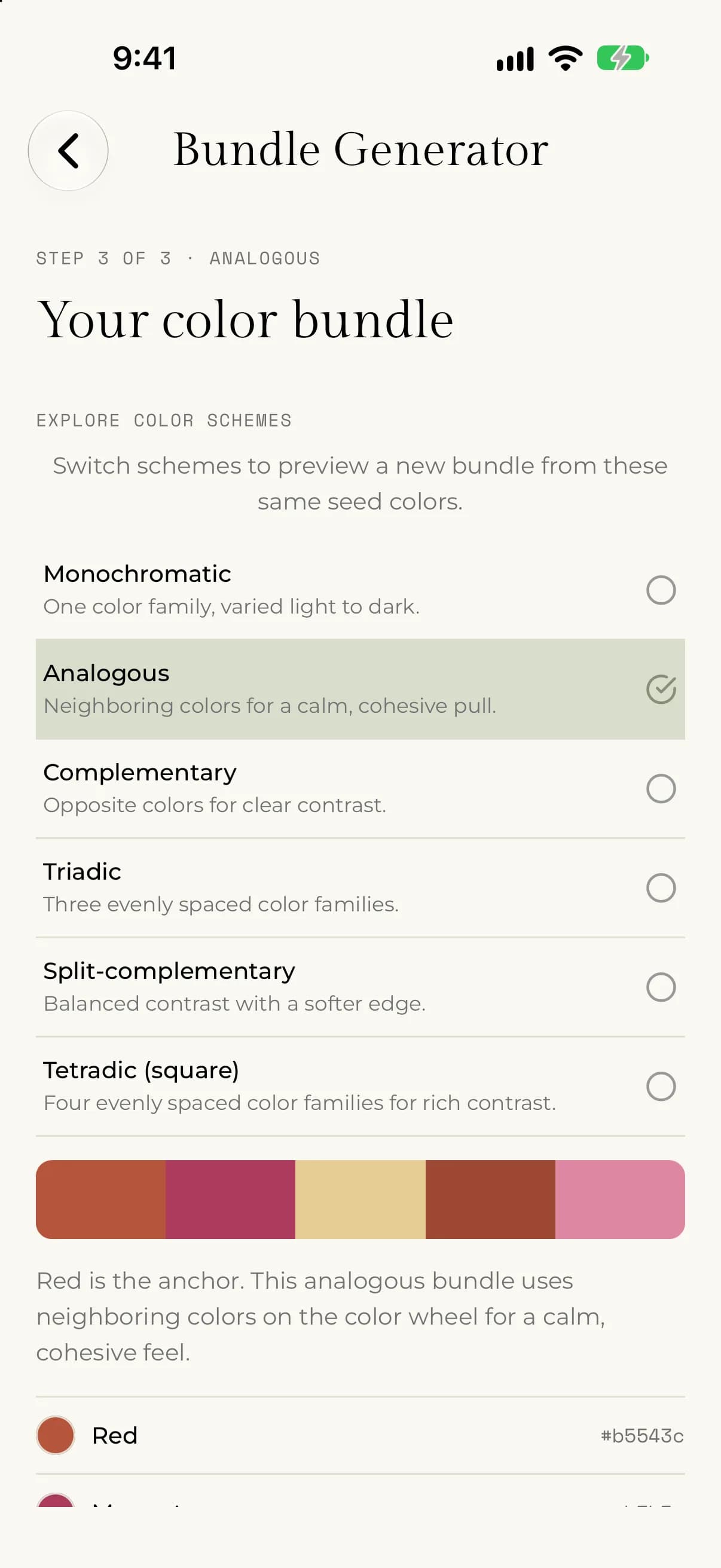
Analogous. Neighboring colors on the wheel, such as blue, blue-green and green. The app describes it as "Neighboring colors for a calm, cohesive pull." It is a safe choice for a quilt that should feel harmonious.
Complementary. Two colors from opposite sides of the wheel, such as blue and orange. The app describes it as "Opposite colors for clear contrast." Choose it when you want the colors to pop against each other.
Triadic. Three color families spaced evenly around the wheel. The app describes it as "Three evenly spaced color families." It is lively and balanced, and works well for scrappy or playful quilts.
Split-complementary. Your base color plus the two colors on either side of its opposite. The app describes it as "Balanced contrast with a softer edge." You get the contrast of a complementary scheme with less tension.
Tetradic (square). Four color families spaced evenly around the wheel. The app describes it as "Four evenly spaced color families for rich contrast." It is the richest scheme, and it needs a bundle of at least 4 colors.
How the colors in your bundle are chosen
- Your seed colors always stay in the bundle, in the order you chose them. The first is the anchor.
- The other colors follow the scheme's color relationship from the anchor. If your bundle is bigger than the number of color families in the scheme, the relationship repeats.
- The colors are varied in how light, dark and vivid they are, so a bundle has a good mix of values and not only one shade of each color.
- The same choices always give the same bundle. Show another gives you a different one with the same scheme.
Switch schemes
On the result screen, tap a scheme under EXPLORE COLOR SCHEMES to preview it. The seed colors and the number of colors stay the same, so you can compare schemes side by side in your head. The short explanation under the color strip changes to describe the scheme you picked.
On the web, the same choices are in the Try another scheme section of the result.