
Edit or remove a pattern
Open a pattern, change its details or files, or delete it.
Updated Nov 16, 2026 · iPhone, Android and web · 2 min read
Open a pattern to see its cover, notes, PDF, and fabric requirements. From there you can edit it or delete it.
Open a pattern
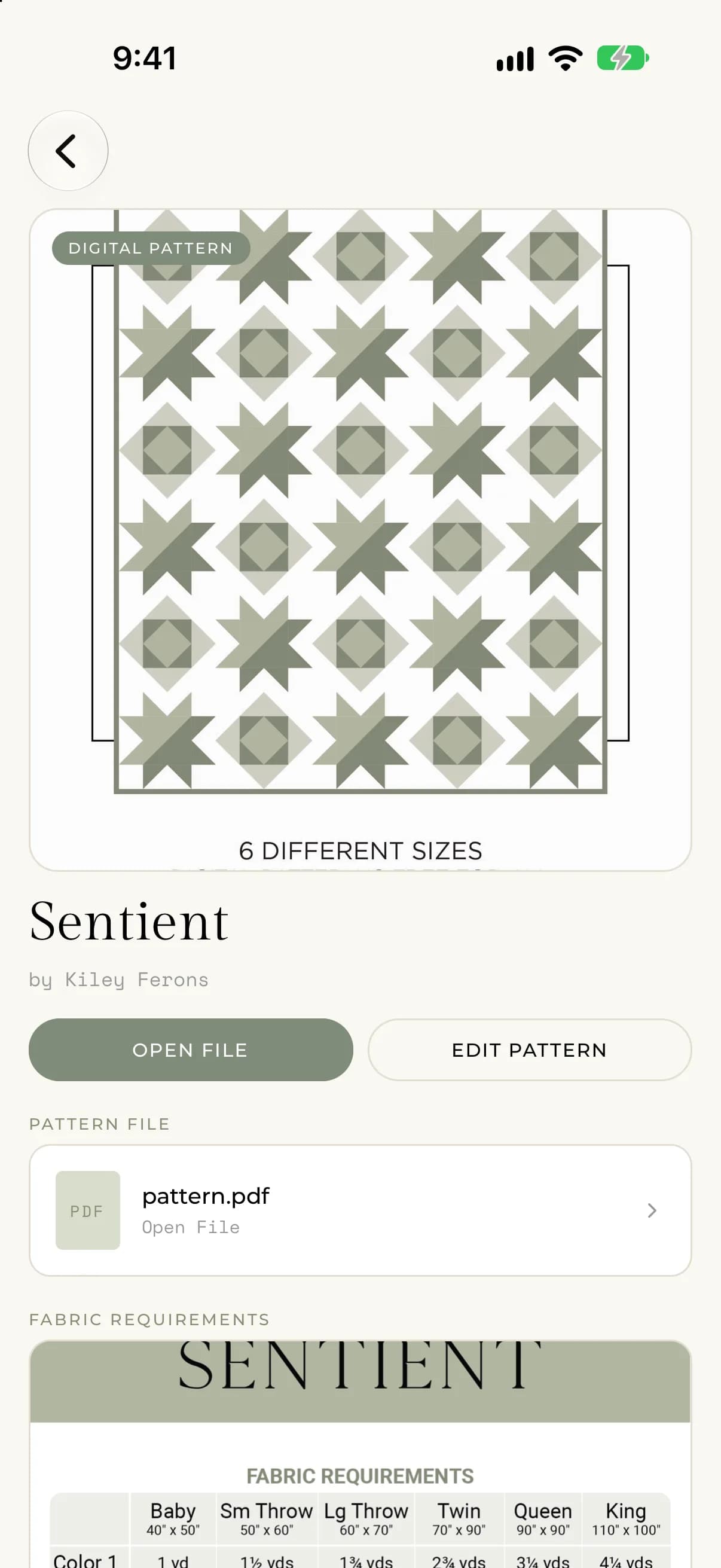
In your Pattern Library, tap a pattern. The page shows the cover photo, the pattern name and author, and whether it is a Digital Pattern or a Physical Pattern. Below that you will see your Notes, the Pattern File if you attached a PDF, and the Fabric Requirements photo.
- Tap the cover photo or the fabric requirements photo to expand it.
- Tap Open File to open the PDF.
Edit a pattern
- Open the pattern and tap Edit Pattern.
- Change the name, author, photos, copy type, PDF or notes.
- Tap Save.
To replace a photo, tap its tile and choose a new one. To replace the PDF, tap the PDF button and choose another file. Tap Remove PDF to take the PDF off the pattern. The name and author can't be empty.
Delete a pattern
- Open the pattern.
- Scroll to the bottom and tap Delete Pattern.
- Confirm by tapping Delete.
You will be asked "Are you sure you want to delete this pattern? This cannot be undone." Deleting a pattern removes it from your library for good. Tap Cancel if you change your mind.
On the web, selecting Delete Pattern shows the same question with Cancel and Delete buttons right on the page.
If something goes wrong
- If saving fails, you will see "There was an error saving your pattern. Please try again."
- If deleting fails, you will see "There was an error deleting the pattern. Please try again."
- If you see "Pattern not found.", the pattern was already removed. Go back to your library.