
Search for projects and quilters
Search by project name, quilter, pattern, pattern designer or fabric line.
Updated Nov 16, 2026 · iPhone, Android and web · 2 min read
Search finds public projects and quilters across My Quilts.
Search
- On the Home screen, tap the magnifying glass at the top right.
- Type in the search box.
- Tap a result to open it.
On the web, use the search box at the top of the page, or press the keyboard shortcut shown in it (⌘K on a Mac). Choose All, Projects or Quilters to see one kind of result.
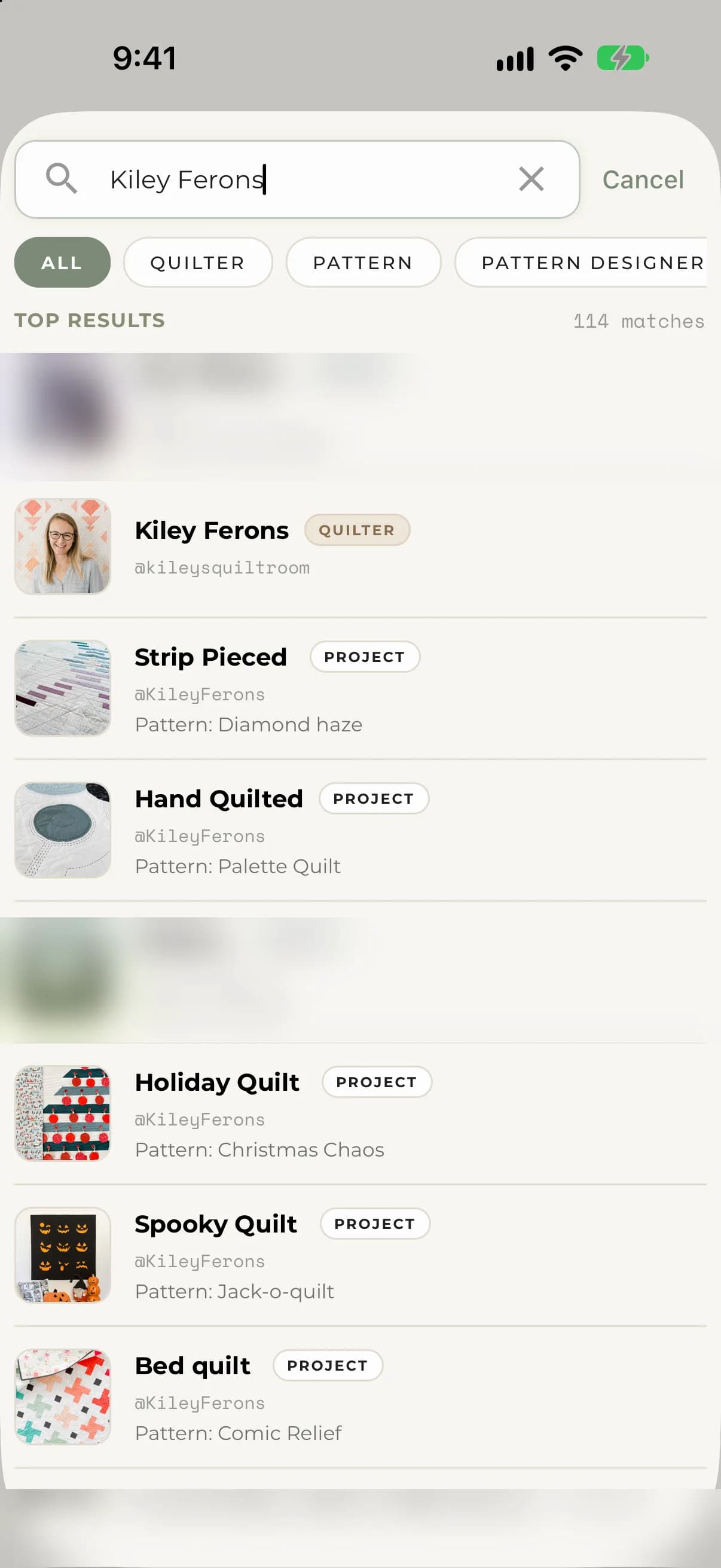
On iPhone and Android, each result is labeled Project or Quilter. Tap a quilter to see their profile, where you can follow them.
Narrow your search
On iPhone and Android, tap a filter under the search box to narrow the results:
- All
- Quilter
- Pattern
- Pattern Designer
- Fabric Line
On the web, the filters are All, Pattern, Pattern Designer and Fabric Line.
Browse instead of typing
Before you type, the search screen offers Browse links to Projects, Quilters, Patterns and Cheat sheets. Your latest searches appear under Recent. Tap Clear to remove them.
If something goes wrong
- "No results found" means nothing matched. Try a different word or choose All.
- A project you just created can take a few seconds to appear in search.